Category: Blog
-
Revisiting & Revising An Old PowerShell Tool – Quickly Find The Largest Files
A few years ago I wrote a script to help find the largest files on a drive using PowerShell without the need to install any additional software. This script was extremely useful for quickly narrowing in on files that may be easy to remove in order to help free up disk space, particularly in situations…
Written by
-
VMware vCenter CVE-2021-21972 Scanner
In this post, I am releasing a PowerShell POC script that will scan the specified target hosts and attempt to detect those that are vulnerable to VMware vCenter CVE-2021-21972. You can find the script, Invoke-CVE-2021-21972-Scan.ps1, on my github here: https://github.com/robwillisinfo/VMware_vCenter_CVE-2021-21972 The script executes in the following order: Create a log file, default log name is…
Written by
-
Defending Against PowerShell Attacks
It’s no secret that I am a big fan of PowerShell and recently I have been spending a considerable amount of time researching and testing it from a security perspective. While there is a lot of solid information out there, I have found it can still be a challenge to really get a solid grasp…
Written by
-
Invoke-Decoder – A PowerShell script to decode/deobfuscate malware samples
I have been spending a lot of time reviewing PowerShell based attacks and malware over the last few months and I wanted to take some time to really understand how some of the common obfuscation techniques really work under the hood. The best way for me to learn more about something like this is to…
Written by
-
Disabling PowerShell v2 with Group Policy
In this post I am going to tackle something that I have been wanting to play around with for awhile, disabling PowerShell v2 at an enterprise scale. As a former systems engineer and now a security engineer, I have a love/hate relationship with PowerShell since it is amazingly useful but also incredibly dangerous in the…
Written by
-
Everything You Need To Know To Get Started Logging PowerShell
Intro Recently, I have been spending a lot of time researching and working with PowerShell logging. Since PowerShell is readily available (built-in to the OS) and has an assortment of functionality that can be used across the entire kill chain right out of the box, it is an ideal candidate for virtually any type of…
Written by
-
Dell XPS 15 9570 – Thermal Mods
I have always been a big fan of Dell hardware from their laptops to servers. Two things always seem to remain the same with Dell, you can get a considerable amount of performance bang for the buck and their hardware is generally easy to work on. So about 6 months ago, I was looking for…
Written by
-
Gathering Windows, PowerShell and Sysmon Events with Winlogbeat – ELK 7 – Windows Server 2016 (Part II)
In part I of this series, Installing ELK 7 (Elasticsearch, Logstash and Kibana) on Windows Server 2016, I covered the following: Installing and configuring Elasticsearch, Logstash, and Kibana as Windows services Installing and configuring Winlogbeat to forward logs from the ELK server into ELK Installing and configuring Curator as a scheduled task (optional) Now, in…
Written by
-
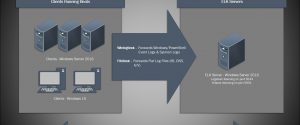
Installing ELK 7 (Elasticsearch, Logstash and Kibana) – Windows Server 2016 (Part I)
I am a huge fan of the Elastic stack as it can provide a great deal of visibility into even the largest of environments, which can help enable both engineering and security teams rapidly triage technical issues or incidents at scale. There’s also the fact that unlike Splunk, the Elastic software is free to use…
Written by
-
Manually Updating the Firmwares on a Dell PowerEdge R610
Updating firmwares yet again… Shortly after the last time I posted on updating firmwares on Dell PowerEdge R610, I found out that Dell dropped support for all 11G servers from the SUU package along with the Lifecycle controller packages which basically broke the entire method I posted. However all hope is not lost, and the…
Written by