Category: Tools
-
Revisiting & Revising An Old PowerShell Tool – Quickly Find The Largest Files
A few years ago I wrote a script to help find the largest files on a drive using PowerShell without the need to install any additional software. This script was extremely useful for quickly narrowing in on files that may be easy to remove in order to help free up disk space, particularly in situations…
Written by
-
VMware vCenter CVE-2021-21972 Scanner
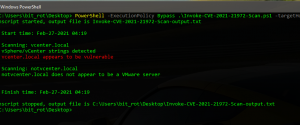
In this post, I am releasing a PowerShell POC script that will scan the specified target hosts and attempt to detect those that are vulnerable to VMware vCenter CVE-2021-21972. You can find the script, Invoke-CVE-2021-21972-Scan.ps1, on my github here: https://github.com/robwillisinfo/VMware_vCenter_CVE-2021-21972 The script executes in the following order: Create a log file, default log name is…
Written by
-
Invoke-Decoder – A PowerShell script to decode/deobfuscate malware samples
I have been spending a lot of time reviewing PowerShell based attacks and malware over the last few months and I wanted to take some time to really understand how some of the common obfuscation techniques really work under the hood. The best way for me to learn more about something like this is to…
Written by
-
Everything You Need To Know To Get Started Logging PowerShell
Intro Recently, I have been spending a lot of time researching and working with PowerShell logging. Since PowerShell is readily available (built-in to the OS) and has an assortment of functionality that can be used across the entire kill chain right out of the box, it is an ideal candidate for virtually any type of…
Written by
-
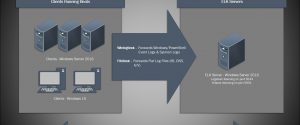
Installing ELK 7 (Elasticsearch, Logstash and Kibana) – Windows Server 2016 (Part I)
I am a huge fan of the Elastic stack as it can provide a great deal of visibility into even the largest of environments, which can help enable both engineering and security teams rapidly triage technical issues or incidents at scale. There’s also the fact that unlike Splunk, the Elastic software is free to use…
Written by
-
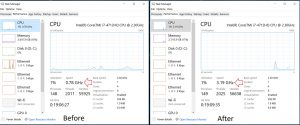
PowerShell Script – Set-PowerCfg
Set-PowerCfg is a simple script that can be used to easily set or check the current power scheme being applied on a Windows host, these are the same settings found in Control Panel > Power Options. This is particularly useful on laptops where CPU throttling may be an issue and you need to easily switch…
Written by
-
My Journey Into The OSCP
Intro This post is going to break away from my typical technical how-to style posts, and talk a little bit about something that has been a personal goal of mine for some time – The Offensive Security Certified Professional. When it comes to even thinking about enrolling in the OSCP, most people will question if…
Written by

-
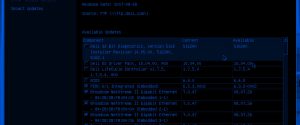
PowerEdge R610 – Updating Firmwares When the LifeCycle Controller Fails
Why You Should Always Update Firmwares! Security patches, new features and bug fixes – These are all very good reasons to ensure firmwares are up to date before moving your new servers into production. Things like the BIOS, RAID Controller, iDrac and network controllers will all usually have updates available. Some of these patches may…
Written by
-
ELK Stack – Installing and Configuring Curator
In this post I am going to quickly cover what is needed to get Curator up and running on the ELK stack. In the last few posts about the ELK stack I covered everything needed to get it installed, configured and ingesting logs reliably. If you missed those posts, you can find them here: ELK…
Written by
-
ELK 5: Setting up a Grok filter for IIS Logs
In Pt. 3 of my setting up ELK 5 on Ubuntu 16.04 series, I showed how easy it was to ship IIS logs from a Windows Server 2012 R2 using Filebeat. One thing you may have noticed with that configuration is that the logs aren’t parsed out by Logstash, each line from the IIS log…
Written by